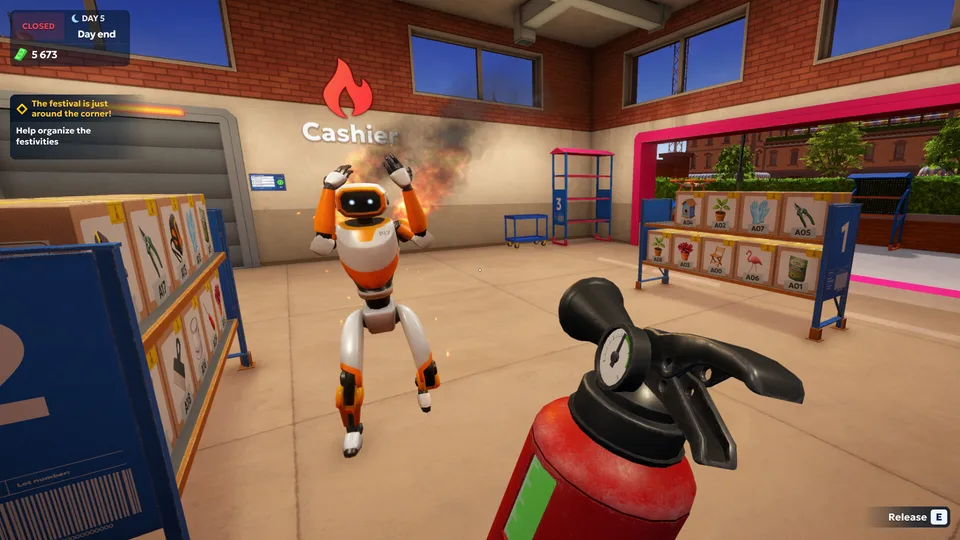
Shipping Store Simulator 2037 Warehouse Expansion Guide
Master shipping store simulator 2037 warehouse expansion with our expert guide. Learn upgrade steps, automated bots, and layout optimization tips.
Published: Shipping Store Simulator 2037 Wiki Editorial Team
Table of Contents
Introduction to Logistics Management and Warehouse Growth
Running a futuristic logistics hub in the year 2037 demands precision, speed, and strategic foresight. As players dive into shipping store simulator 2037 warehouse expansion, understanding how to scale operations efficiently separates a bankrupt storefront from a thriving empire. Every single box processed moves the city forward, but physical constraints soon halt manual progress.
Managing spatial bottlenecks is crucial because manual sorting quickly becomes overwhelming as customer queues grow. Effective shipping store simulator 2037 warehouse expansion allows managers to unlock automated workflows, deploy advanced robots, and handle lucrative VIP contracts without breaking a sweat.
Tip
Early Game Preparation
Always clear initial warehouse trash, organize product categories properly, and secure your first operational license before saving funds for structural upgrades.
Understanding Spatial Constraints and Initial Layouts
When you first open your doors in Cranelock, your available square footage is strictly limited. Storing items efficiently requires understanding how boxes occupy physical floor space. According to player experience reports, cramming too many items into a tight corner leads to physics glitches and lost packages.
Maintaining clear pathways ensures that both your automated units and customer interactions run smoothly. A disorganized floor plan directly reduces daily revenue because walking back and forth wastes valuable operational seconds.
Layout Area
Initial Capacity
Expanded Potential
Recommended Usage
Main Counter
1 register desk
Multi-register setup
Customer scanning and quick checkout
Storage Zone
Single room racks
Multi-tier shelving
Bulk inventory and category sorting
Loading Dock
Manual button
Streamlined handoffs
Unloading shipments and robot drop-offs
Service Floor
Cramped walkways
Wide corridors
Smooth transit for delivery carts
Clear Debris: Clean up all initial trash bags and mop the floors to establish a functional workspace.
Organize Shelves: Group items into distinct categories like gardening tools, electronics, and decor.
Monitor Traffic: Ensure customers have unobstructed access from the entrance door to the service counter.
Unlocking and Executing the Warehouse Expansion
When your daily revenue grows and manual handling reaches its absolute limit, it is time to invest in your shipping store simulator 2037 warehouse expansion. Expanding your square footage requires careful financial planning, as upgrading structural licenses demands a significant capital outlay.
Community feedback highlights that timing your expansion is everything. Expanding too early before securing steady daily customer traffic can drain your cash reserves, leaving you unable to restock basic shelves.
Small Platform Cart
Essential for carrying multiple boxes simultaneously, drastically reducing trips between the loading dock and storage shelves.
Warehouse Robots
Automate heavy lifting and inventory storage so large incoming shipments move faster with less manual work.
Drone Zone
Unlocks aerial delivery channels, allowing you to bypass ground traffic and fulfill high-value VIP orders across Cranelock.
Integrating Automation and Robot Workforce
Physical space means little if you do not automate your daily routines. As part of any successful shipping store simulator 2037 warehouse expansion, integrating robotic assistance keeps your logistics center running around the clock. Developer Playstrom designed the economy so that managing everything manually becomes unsustainable past the early game.
According to community reports, deploying automated warehouse units prevents bottlenecks during peak delivery hours. However, robots require occasional maintenance, and failing to keep repair kits on hand can halt your entire automated supply chain.
Robot Type
Primary Function
Maintenance Needs
Efficiency Gain
Warehouse Robot
Moves boxes to storage
Regular repair kits
High bulk handling speed
Customer Service Bot
Scans and checks out buyers
Minimal upkeep
Reduces queue waiting times
Cleaner Bot
Clears trash and oil spills
Low maintenance
Maintains clean rating
Delivery Drone
Aerial VIP transport
Launch pad space
Bypasses ground congestion
Purchase structural upgrade licenses via the terminal.
Deploy at least one warehouse robot to assist with heavy boxes.
Keep repair kits stocked in storage to fix broken automation units.
Balance ground cart deliveries with future drone zone expansions.
Advanced Strategies for VIP Orders and Black Market Logistics
Once your physical facility is upgraded, the city of Cranelock presents new, riskier opportunities. Handling regular daytime customers builds steady capital, but elite operations happen after dark. Implementing a thorough shipping store simulator 2037 warehouse expansion strategy gives you the storage capacity needed to store specialized nighttime cargo.
Black market contracts and VIP deliveries require absolute discretion. The FBI and competing logistics firms like Quickbox monitor suspicious packages, meaning your expanded warehouse must feature hidden staging areas for sensitive items.
Warning
Night Delivery Risks
Nighttime orders involving specialized cargo must be delivered strictly after hours. Law enforcement and rival competitors will penalize exposed illegal operations.
Frequently Asked Questions
What triggers the ability to perform a shipping store simulator 2037 warehouse expansion?
You need to accumulate sufficient funds through daily package deliveries, clear your initial debts, and purchase the relevant real estate and business licenses from your terminal.
Can robots handle the entire shipping store simulator 2037 warehouse expansion workload?
Robots significantly automate heavy lifting, sorting, and customer scanning, but you will still need to manage VIP orders, strategic purchasing, and emergency maintenance manually.
How do I prevent items from glitching out during a shipping store simulator 2037 warehouse expansion?
Ensure your expanded floor space is clear of debris, utilize designated shelving categories, and avoid throwing boxes haphazardly across narrow corridors.
Where can I check official updates and community guides for Shipping Store Simulator 2037?
You can review patch notes, system requirements, and community discussions directly on the official Steam Page.