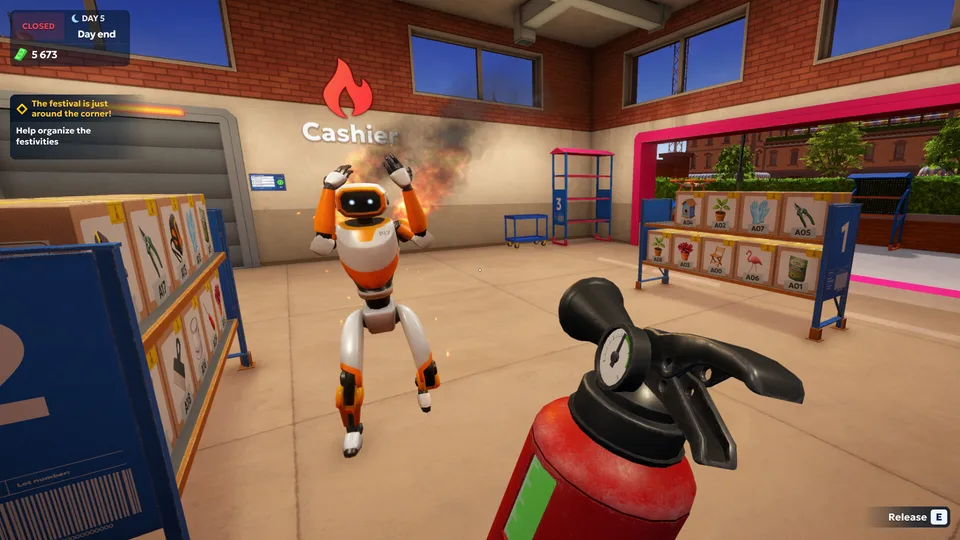
Mastering shipping store simulator 2037 vip orders guide
Learn how to handle shipping store simulator 2037 vip orders, automate your warehouse with robots, and maximize your profits today.
Published: Shipping Store Simulator 2037 Wiki Editorial Team
Table of Contents
Diving Into the Future of Logistics Management
Stepping into the year 2037 means taking over a neglected delivery business with immense potential, making shipping store simulator 2037 vip orders a vital milestone for your financial success. Balancing day-to-day customer queues with lucrative black-market contracts requires precision, sharp timing, and efficient warehouse organization. According to player experience reports, managing your early-game cash flow correctly sets the stage for unlocking advanced robotics and expanding your storefront before competitors can outpace you.
Whether you are just unboxing your first batch of garden supplies or preparing to deliver high-stakes cargo across Cranelock City, mastering the workflow of shipping store simulator 2037 vip orders transforms a struggling post office into a booming enterprise. In this comprehensive guide, we examine the essential steps, strategies, and operational upgrades needed to keep your VIP clients satisfied and your balance sheet deep in the green.
Understanding the Mechanics of Special Client Requests
When running your futuristic logistics hub, standard patrons will bring in steady daily income, but special clients provide the massive financial leaps your business needs to expand. As community reports highlight, receiving your first high-priority assignment requires keeping your eyes on your office terminal after completing standard foundational tasks. These assignments bypass standard QuickBox competitors and require direct, hand-delivered drops to local landmarks like the second-chance repair shop.
Order Type
Delivery Method
Typical Payout
Operational Requirement
Standard Customer
Counter Service
$9 – $38
Barcode scanning, item packing, branded bags
VIP Order
Hand Delivery (On Foot / Cart)
$150 – $250+
Timed dispatch, secure transport, direct drop-off
Festival Contract
Multi-Drop Transport
Variable (High)
Automated sorting assistance, warehouse expansion
Failing to manage these high-priority logistics tasks efficiently can damage your neighborhood reputation. Player experience notes that ignoring delivery windows or leaving items sitting out too long invites trouble from aggressive competitors and local rivals.
Check Your Terminal: Read morning messages from Shirley to identify when special client contracts become active in your system.
Process Special Cargo: Unload the dedicated delivery van as soon as it arrives, keeping high-priority parcels separate from everyday stock.
Transport Manually or via Cart: Carry the cargo to the designated recipient across Cranelock City, utilizing platform carts for multi-box loads.
Collect Payment: Drop off the intact package directly to the client and retrieve your payment from hidden locations like bins under stairs.
Automating Your Warehouse With Robots and Carts
As your operations scale, running back and forth between the front counter and city drop-offs becomes impossible to manage alone. Community feedback emphasizes that investing in warehouse upgrades and robotic assistants is the single best way to optimize your daily workflow. Once you save up enough capital to expand your floor space, you can deploy mechanical workers to handle tedious chores.
Loader Assistant
Loader units handle heavy lifting around the loading dock. Like all machines they wear down with use, so keep repair kits handy.
Customer Service Robot
Front-desk units greet customers, take orders, and hand over branded bags, freeing you to focus on complex deliveries and special contracts.
Platform Carts
A small platform cart holds multiple boxes simultaneously, making pedestrian deliveries across town significantly faster and less physically exhausting.
To help you decide when to allocate funds, the following breakdown outlines the financial thresholds for key business milestones based on Steam community data and developer releases from Playstrom.
Milestone / Upgrade
Cost (In-Game USD)
Primary Benefit
Repair Kit Bundle
$45
Repairs worn-out equipment and maintains sorting speeds
Repair Ink License
$500
Unlocks specialized repair contracts and tool orders
Warehouse Expansion
$550
Provides necessary square footage for robot installation
Customer Service Robot
Variable
Automates front-desk tasks and reduces customer wait times
Overcoming Competitor Sabotage and Black-Market Risks
Operating a logistics business in 2037 is far from peaceful. Rivals like QuickBox are constantly watching your progress, and criminal elements in Cranelock City frequently look for leverage. According to community reports, staying ahead means keeping your store tidy, replacing worn-out machinery with repair kits, and maintaining strict adherence to your operating hours.
Warning
Ignoring equipment maintenance will severely slow down your processing speed. Always keep repair kits on hand to fix degrading terminals before your morning queue builds up.
Furthermore, taking on black-market contracts requires discretion. The FBI and local rivals do not look kindly on unauthorized shipments, meaning your nighttime deliveries must be executed cleanly without leaving a paper trail. By balancing legal retail sales with clandestine high-value drops, you maximize your daily earnings without triggering costly regulatory penalties.
Tip
Always keep a stock of branded packaging near your terminal. Customers appreciate the convenience, and it acts as bonus advertising for your growing postal network.
Summary Checklist for Logistics Success
To ensure you never miss a beat while building your cosmic delivery empire, keep this quick checklist handy during your playthrough:
Check your office computer every morning for incoming messages from Shirley regarding special contracts.
Maintain sufficient inventory of labeling rolls and branded bags to prevent checkout bottlenecks.
Invest in warehouse expansions early so you have room to unpack and house automated robotic staff.
Use platform carts for multi-box VIP deliveries to save stamina and reduce transit time across town.
Frequently Asked Questions
How do I unlock high-value contracts in shipping store simulator 2037 vip orders?
You unlock these special opportunities by progressing through early daily shifts, maintaining positive customer reviews, and checking your office PC messages from Shirley for client notifications.
What should I do when my warehouse equipment starts slowing down?
Equipment wears out over time and decreases performance. You must purchase a repair kit package for $45 and manually use it on the degraded machinery to restore peak operational speed.
Can I automate deliveries across Cranelock City?
While robots handle warehouse sorting and unloading, special cargo deliveries must be transported manually on foot or by utilizing a platform cart to carry multiple boxes to local clients.
Where can I purchase this title and check system requirements?