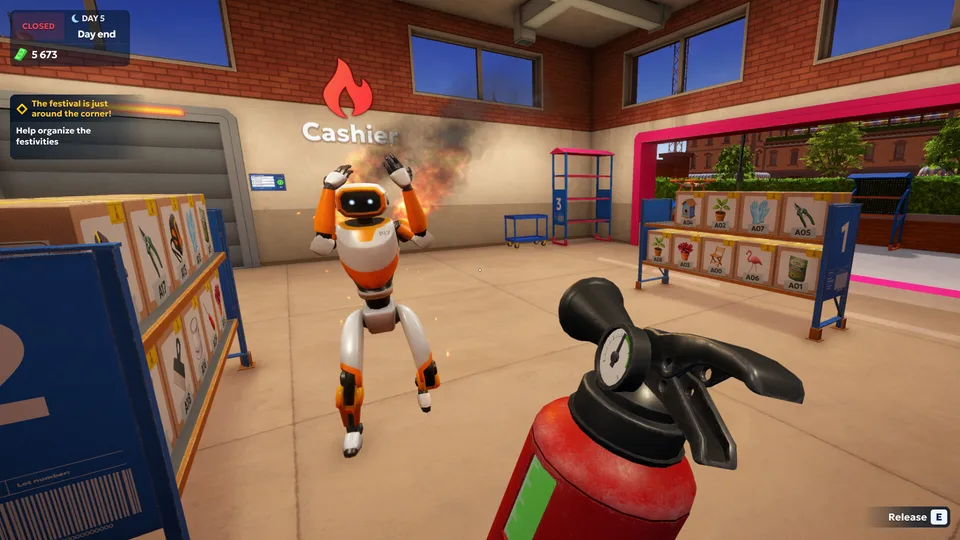
Master shipping store simulator 2037 robot logistics
Learn how shipping store simulator 2037 robot logistics center automation transforms gameplay into high-profit logistics management.
Published: Shipping Store Simulator 2037 Wiki Editorial Team
Table of Contents
Introduction to Future Logistics Management
Running a package delivery hub in a futuristic city is harder than it looks, especially when you are managing an abandoned warehouse with mountain-sized ambitions. When you step into shipping store simulator 2037 robot logistics center automation, you quickly realize that manual labor only gets you through your very first opening hours. This guide explores how transitioning from a lone worker to a fully automated tech empire will keep your customers happy and your bank account overflowing.
Understanding the mechanics of shipping store simulator 2037 robot logistics center automation is essential for staying competitive against rival delivery services like Quickbox. According to recent player experience reports and community feedback, managing your stamina while balancing customer queues is a major bottleneck during the early game. Mastering automation early allows you to scale your operations efficiently.
From Manual Sorting to Automated Warehouses
Your journey begins with a modest storefront, a pile of cardboard boxes, and a label machine that requires your personal attention for every single customer. In the early shifts, you must unload delivery vans, tag items, and manually hand over everything from garden gnomes to plumbing tools.
As your capital grows, introducing mechanical assistants changes the entire gameplay loop. The transition phases of setting up your warehouse are outlined below.
Manual Foundation: Handle initial deliveries, sweep up trash, and serve early customers to build foundational capital.
License Acquisition: Purchase advanced licenses—such as equipment and sea goods—to unlock high-value items.
Robot Deployment: Hire your first robot assistants to take over heavy lifting and incoming truck unloading tasks.
Vertical Scaling: Expand your warehouse square footage to accommodate automated sorting belts and drone delivery zones.
Core Progression Milestones
Operational Phase
Primary Objective
Key Equipment Needed
Profit Potential
Day 1: Startup
Clear debris, sort initial inventory
Basic mop, manual label crank
Low
Day 3: Expansion
Buy licenses, hire first bot
Repair kits, shelving units
Medium
Day 5+: Automation
Deploy loader and service bots
Robot units, warehouse expansion
High
Overcoming Early Game Bottlenecks and Managing Staff
Even the best logistics managers face sudden supply shortages and unexpected maintenance issues. Community reports highlight that running out of branded packaging bags or failing to repair worn equipment can instantly halt your daily workflow.
When your robots start showing signs of wear or labor rules trigger warning states, you must act fast. Keep repair kits on hand and monitor your main electrical switches in case of unexpected automated network anomalies.
Tip
Optimization Advice: Always keep a buffer of cash for emergency repair kits and spare packaging rolls. Letting your shelves go empty while a customer queue forms will severely hurt your daily revenue targets.
Essential Equipment Comparison
Manual Labor Tools
Essential for day one survival. Hand-crank label machines and basic brooms cost nothing to operate but drain your in-game stamina bar rapidly.
Automated Robot Units
Unlocked via store upgrades. Units like unloader bots and customer service drones operate 24/7, though they require adequate warehouse space to function without obstruction.
Navigating VIP Orders and Black-Market Opportunities
Once your basic logistics pipeline runs smoothly, you will unlock special high-paying contracts. High-profile clients and secretive individuals in Cranelock will request unique shipments, ranging from custom barbecue grills to specialized hardware.
Handling these black-market deals requires discretion, often involving late-night deliveries where you must avoid drawing federal attention or rival competitor interference. For official game specifications, system requirements, and community updates, you can visit the Steam Store Page for Shipping Store Simulator 2037 using descriptive anchor text.
Daily Operations Checklist
[ ] Check PC terminal messages for incoming VIP contracts.
[ ] Verify that robot power switches are toggled to active.
[ ] Restock branded packaging bags before opening storefront hours.
[ ] Clear warehouse trash to maintain customer satisfaction ratings.
FAQ
How do I start automating my delivery warehouse?
You must first generate enough capital from manual deliveries to purchase warehouse licenses and hire your first robot assistants from the store terminal.
What are VIP orders and why are they important?
VIP orders are high-payout, specialized contracts offered by unique clients that significantly boost your income and help unlock advanced licensing tiers.
Can I run my store entirely without manual intervention?
While robots handle heavy lifting, unloading, and sorting, you will still need to manage licenses, purchase upgrades, and handle occasional special deliveries yourself.