Shipping Store Simulator 2037 PC: Ultimate Management Guide
Master shipping store simulator 2037 pc with our expert guide. Discover warehouse management tips, automation strategies, and VIP order secrets.
Published: Shipping Store Simulator 2037 Wiki Editorial Team
Table of Contents
Dive Into the Future of Logistics
Ever wondered what running a package delivery hub in the year 2037 would look like? Stepping into shipping store simulator 2037 pc drops you right into a bustling, futuristic city where automated logistics meet everyday chaos. Whether you are managing your first inventory shelf or scaling up to space deliveries, mastering shipping store simulator 2037 pc requires quick reflexes, smart budgeting, and a keen eye for efficiency.
In this comprehensive guide, we break down everything you need to know about setting up your warehouse, handling demanding VIP clients, and eventually letting robots do the heavy lifting. Based on recent player experience and official developer insights, let’s explore how you can take your fledgling postal shop from a messy, bankrupt starting point to a high-tech shipping empire.
Getting Started: Your First Days at the Warehouse
When you launch shipping store simulator 2037 pc for the first time, you will inherit a dusty, unorganized warehouse in the futuristic city of Cranelock. According to community reports, your initial routine involves turning on the power, grabbing a trash bag, and scrubbing the floors to earn your very first dollars.
Once the cleaning is done, you must set up your initial storage shelves and buy your first operating license via the in-game computer. Managing your daily workflow efficiently is crucial for survival.
Clean the Warehouse: Grab a trash bag and mop the floors to clear out initial debris and earn early starting cash.
Power and Setup: Turn on the main power switch and assemble your first storage shelf in an accessible spot.
Acquire Licenses: Use the terminal to purchase foundational licenses, such as garden supplies or repair tools, to unlock new merchandise.
Unload Transporters: Manually unload incoming packages from delivery vans and run them through the labeling machine before stocking them.
To help you visualize your early game priorities, here is a quick overview of essential initial expenses and milestones:
Phase
Main Objective
Key Equipment Needed
Estimated Cost / Target
Day 1
Cleanup & Setup
Trash bags, mop, first shelf
$0 - $50
Licenses
Unlock Product Categories
Terminal access
$500 - $1,000
Expansion
Upgrade Warehouse Level
Storage Level 2 upgrade
$1,500
Automation
Hire Warehouse Assistants
Basic robot units
$800+ per unit
Mastering Package Sorting and Customer Flow
As customers start trickling into your shop between 9 AM and 9 PM, maintaining a smooth workflow becomes vital. Every customer order requires scanning items and matching them with the correct paper bags. According to player experience, keeping your labeling machine running continuously is the secret to avoiding massive customer queues.
However, running a shop manually gets exhausting. You will quickly notice stamina limits and the physical strain of running back and forth across the warehouse. Investing early in a small transport cart for $250 allows you to carry multiple packages at once, drastically reducing transit time for distant deliveries.
Tip
Always keep an eye on your label rolls and trash bag supplies. Running out of consumables mid-rush can bring your entire storefront to a grinding halt, leading to unhappy customers and lost revenue.
Unlocking Automation: Robots, Drones, and Rockets
Survival in the later stages of shipping store simulator 2037 pc depends entirely on automation. Once you upgrade your storage to Level 2 and gather enough capital, you can unlock the robot management app.
Robots can handle repetitive tasks like unloading trucks and serving customers at the counter, freeing you up to focus on high-level business expansion. As developer Playstrom outlines on the official Steam Store Page, the game scales from ground-level package sorting all the way up to drone deliveries and cosmic space shipping.
Ground Robots
Handle basic warehouse lifting and truck unloading. They require proper storage upgrades and daily maintenance funds to operate efficiently.
Drone & Space Shipping
Advanced delivery methods unlocked in the late game. Ideal for handling urgent urban orders and expanding your logistics network beyond the city limits.
Dealing with VIPs and Competitor Pressure
Standard packages keep the lights on, but VIP orders bring in the big bucks. Major clients place special high-value orders—such as grills, garden gnomes, and specialized equipment—that often require direct delivery across town.
Be warned, though: the city of Cranelock isn't entirely friendly. Competitors will use dirty tricks, and black market opportunities will tempt you to operate under the cover of night. Balancing legitimate retail with underground VIP contracts is the ultimate test of a seasoned store manager.
Accept high-paying VIP orders whenever they appear in your system.
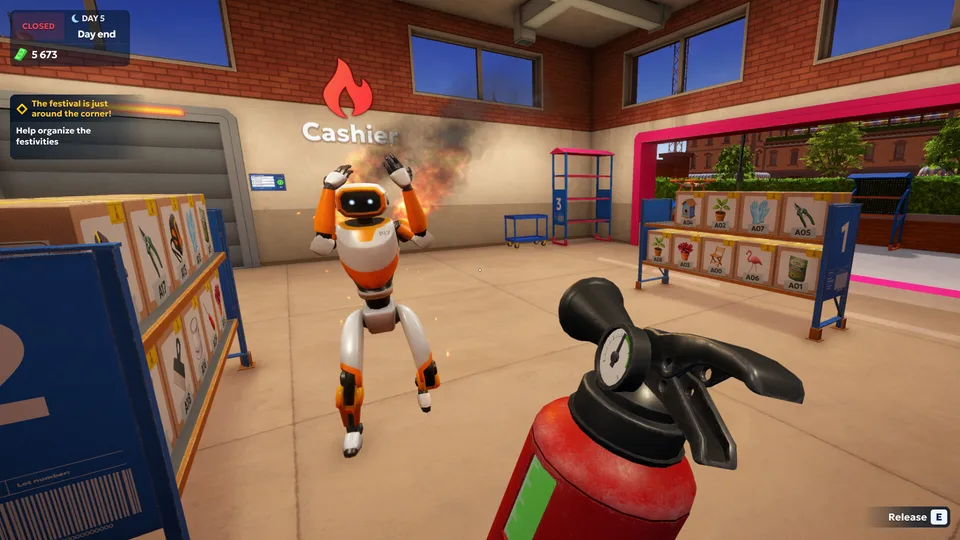
Purchase fire extinguishers and repair kits to deal with unexpected equipment breakdowns.
Monitor delivery schedules so you are never caught off guard by afternoon truck arrivals.
Upgrade your customer counters to process multiple orders simultaneously during peak rushes.
Frequently Asked Questions
Can I play shipping store simulator 2037 pc offline?
Yes, shipping store simulator 2037 pc features a robust single-player mode focused on offline warehouse management.
How do I stop customers from forming long lines?
To prevent massive queues in shipping store simulator 2037 pc, you should upgrade your storage level, purchase additional customer counters, and eventually hire automated service robots to speed up checkout times.
When was shipping store simulator 2037 pc released?
The full version of shipping store simulator 2037 pc was officially released on Steam by developer Playstrom and publisher SayGames on October 14, 2026.