shipping store simulator 2037 full playthrough guide
Discover the ultimate shipping store simulator 2037 full playthrough guide. Master warehouse management, automation, and robot upgrades today.
Published: Shipping Store Simulator 2037 Wiki Editorial Team
Table of Contents
Getting Started with Your Shipping Store Simulator 2037 Full Playthrough
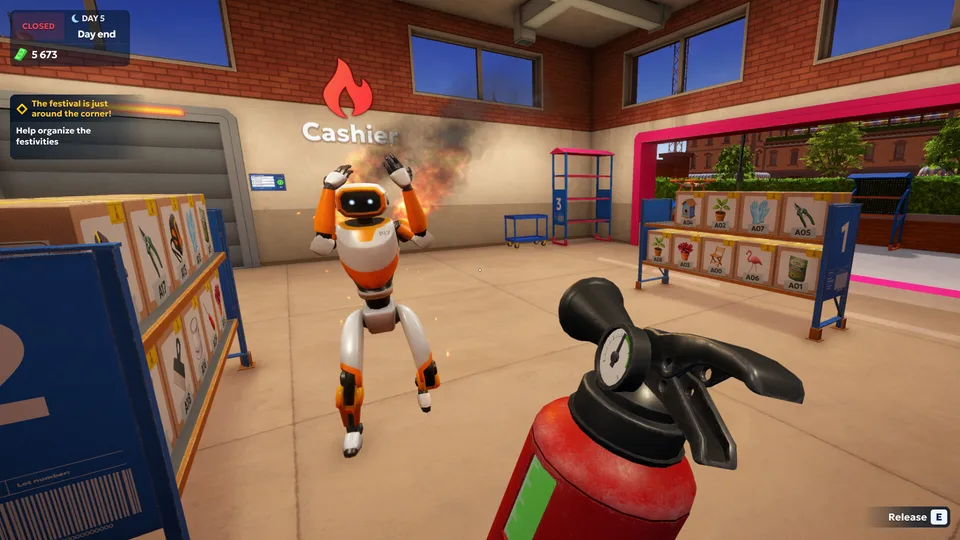
Embarking on a complete shipping store simulator 2037 full playthrough requires patience, strategic planning, and a firm grasp of futuristic e-commerce logistics. Developed by Playstrom and published by SayGames, this simulation hit Steam on October 14, 2026, to very positive reviews from management game enthusiasts. If you are looking to transform a struggling, bankrupt delivery depot into a thriving automated empire, understanding the early-game grind is your first step toward success.
When you dive into your shipping store simulator 2037 full playthrough, you start out in the year 2037 inside a dusty, disorganized warehouse in Cranelock. The introductory phase sets expectations high: you must clean up trash with a bag, find the mop to tidy the floors, and reassemble the fallen storage shelves before opening your doors to the public. According to player experience reports, mastering these fundamental chores quickly frees up precious time to handle incoming shipments from transport vans and process your very first customer orders.
Gameplay Phase
Primary Objectives
Key Equipment Needed
Estimated Milestones
Early Game
Warehouse cleanup, shelf setup, basic labeling
Mop, trash bags, first license
First 10-50 processed packages
Mid Game
Unlocking storage levels, buying carts
Transport cart, repair kits, label rolls
Reaching $1,000+ daily revenue
Late Game
Automated robots, drone shipping, wholesale
Customer and warehouse robots
Cosmic delivery logistics
Managing Daily Operations and Customer Rush Hours
Running a futuristic parcel shop means keeping a close eye on the clock and managing inventory efficiently. The shop typically operates from 9:00 AM to 9:00 PM, during which customers stream in to collect items corresponding to specific order numbers. Deliveries arrive continuously throughout the day, requiring you to unload transport vans manually, run boxes through the labeling machine, and place them onto the correct storage shelves.
As highlighted in community reports, failing to keep your labeling machine supplied with label rolls or running out of company paper bags can cause massive customer bottlenecks. Furthermore, keeping the warehouse clean is not just for aesthetics; players note that managing trash prevents the shop floor from descending into chaos. Balancing customer service with restocking is a delicate dance until you can afford proper upgrades.
Item / Resource
Standard Cost
Function in Gameplay
Replenishment Method
Label Rolls
$35
Required for printing package IDs
Purchase via shop computer
Company Bags
Varies
Practical bags for customer pickups
Bulk orders at register
Repair Kits
$45 (5 uses)
Fixes broken machines and tools
Order from equipment menu
Storage Cart
$250
Moves about four boxes around the warehouse
In-store purchase
Unlocking Licenses, VIP Orders, and Expansion Tiers
Progression in this business simulation heavily relies on acquiring specialized licenses and fulfilling lucrative VIP orders. As you generate steady income from everyday patrons, you will unlock licenses for diverse merchandise categories ranging from garden supplies and repair goods to exotic items like flamingos and garden gnomes. VIP orders offer substantially higher payouts, though they often require special handling and prompt delivery to maximize your profit margins.
Reaching higher expansion milestones demands significant capital. For instance, upgrading your storage to Level 2 costs around $1,500, which opens the door to advanced automation tools. Without adequate storage tiers, acquiring sophisticated equipment or expanding your loading ramp capacity remains out of reach. Strategic players save their earnings diligently, avoiding frivolous spending until foundational upgrades are secured.
Secure Initial Capital: Complete basic customer orders and fulfill early VIP requests to build a financial safety net.
Invest in Efficiency Tools: Purchase a small transport cart for $250 to carry multiple packages simultaneously and reduce walking fatigue.
Upgrade Storage Level: Save $1,500 to unlock storage level 2, which is a mandatory prerequisite for hiring automated robots.
Deploy Automation: Hire warehouse and customer service robots to handle repetitive lifting and counter tasks while you focus on expansion.
Implementing Automation with Robots and Drones
The true turning point of any successful playthrough is transitioning from manual labor to full-scale automation. Once you achieve storage level 2, you gain access to specialized robotic staff through the in-game app interface. Hiring a warehouse robot helps manage arriving trucks, while customer service units speed up transaction times at the counter.
While robots require daily maintenance costs, their 24/7 productivity allows you to focus on macro-management, such as setting up wholesale shipping, drone delivery networks, and eventually space shipping logistics. Players frequently advise setting aside a dedicated emergency fund before hiring your first robot to ensure your business survives any temporary cash flow dips.
Automation Feature
Prerequisites
Operational Cost
Primary Benefit
Warehouse Robot
Storage Level 2
$800 initial / daily upkeep
Unloads arriving transport trucks automatically
Transport Cart
Level 2 Shop Status
$250 one-time purchase
Carry up to four packages at once
Customer Counter
Level 2 Storage
Varies by upgrade tree
Processes multiple customer queues simultaneously
Drone Shipping
Advanced Tech Tier
High capital investment
Handles urgent long-distance deliveries
Frequently Asked Questions
How much does Shipping Store Simulator 2037 cost on Steam?
The base game is priced around $19.99 USD, though introductory launch discounts often reduce the price to $17.99 USD. It features verified support on Windows PCs.
Can I automate my warehouse right at the beginning of the game?
No. Early-game operations require manual unloading, labeling, and sorting. You must upgrade your storage level to Level 2 and accumulate sufficient capital before hiring robots.
What are VIP orders and why are they important?
VIP orders are special requests from major clients that yield significantly higher financial rewards. Successfully delivering these items helps fund major store upgrades and license expansions.
Is the demo version identical to the full game?
Demos feature restricted content and limited potential. The full game includes expanded licenses, robot automation, drone shipping, and extensive store customization options.